Arduino
open source hardware
1.SBC(Single-Board Computer)
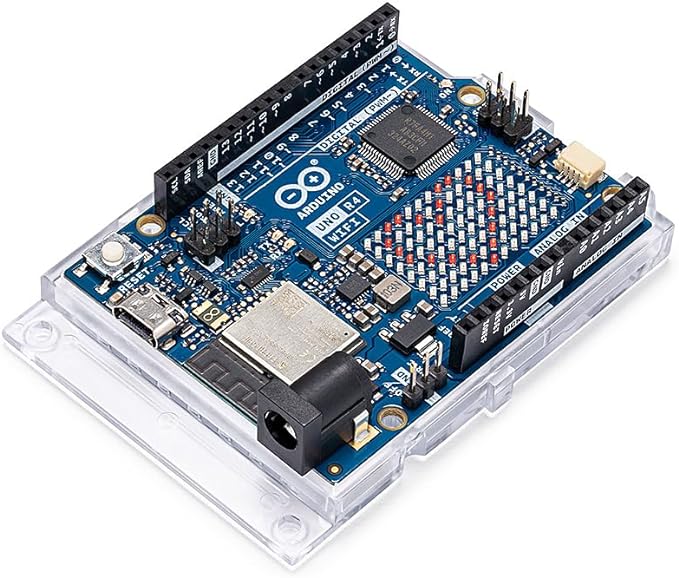 A "mini computer" that can run an operating system is made into a small board (commonly using Linux). The CPU, memory, storage interface, USB/network port/display/camera, etc. are all on the board, resembling a very tiny "mini computer".
- Common representatives-:BeagleBone Black, Olimex OLinuXino, and (the widely used but not strictly OSHW Raspberry Pi series).
- applicable scene:
Required: Multi-process/high-level applications (Python/Node/C++, capable of running containers, databases, web services) Multimedia/camera/display, edge AI (lightweight model inference), network gateway, industrial gateway Requires rich peripheral interfaces (USB, Gigabit network, HDMI/MIPI, Wi-Fi/BT)
Advantages: Strong computing power, numerous ecosystem packages, quick development (write code directly after SSHing in); can be used with advanced frameworks.
Limitations: Higher power consumption, complex startup, average real-time performance (not as stable and controllable as MCU); higher system maintenance and reliability requirements. When to choose it: When you need "computer-like" capabilities (camera, display, network, file system, multitasking), choose SBC; for simple IO control or ultra-low power consumption, prioritize MCU.
2.OpenBCI
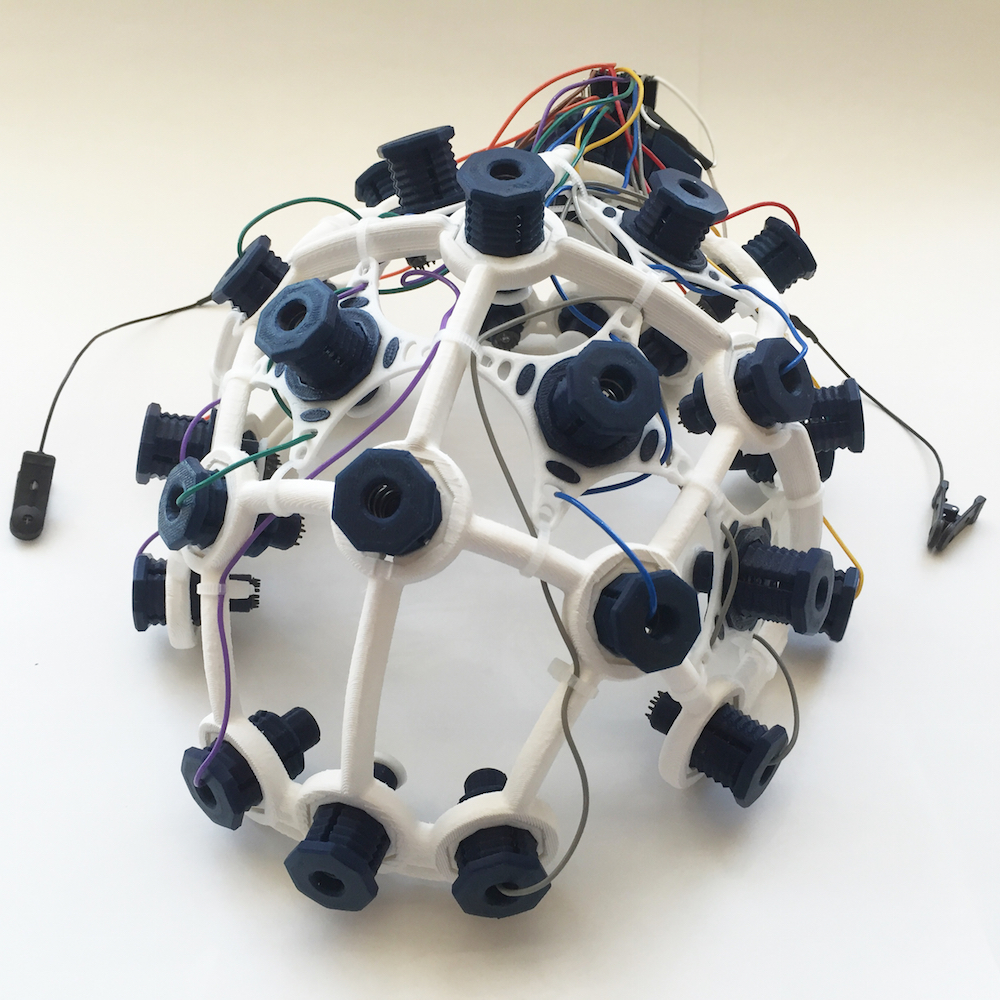 An open-source hardware and software platform for biological electrical signals (such as EEG/EMG/ECG, etc.). The board is responsible for front-end amplification, filtering, and analog-to-digital sampling; it is accompanied by OpenBCI GUI, Python/Processing/BrainFlow, etc. tools for visualization and algorithm development.
- Typical hardware: Multi-channel acquisition boards (8-16 channel grades), head-mounted electrodes/electromyography electrodes, wireless transmission/reception modules, etc. Open source design and an active community facilitate secondary development.
- applicable scene: Neuroengineering/Brain-Computer Interface (BCI), Electroencephalogram/Muscle/ECG Research and Teaching Prototype Experiments: Brain-controlled interaction, noise suppression/filtering algorithm verification, feature extraction
classification Advantages: High openness, comprehensive data, multiple case studies in the community; Complete software and hardware toolchain (GUI + SDK), friendly for non-medical background.
Considerations and Limitations: Signal quality heavily depends on electrodes and contact (dry/wet electrodes, skin preparation, cable/noise management)
Compliance and Safety: OK for research and teaching purposes. However, if used for medical or clinical purposes, local regulations and ethics must be followed; Electrical safety and isolation should be emphasized. When to Choose It: When you need to quickly develop a prototype for physiological signals or conduct research, and you want to control the details of data and algorithms, and be able to easily modify hardware and software.
3.SparkFun RedBoard
 The family of Arduino-compatible development boards launched by SparkFun, which retains the form and pins of Arduino UNO, emphasizes compatibility, quality and teaching friendliness; some models integrate Qwiic (an I²C solderless ecosystem).
- Common branches: RedBoard(ATmega328P):UNO level, 5V logic, reliable for beginners/tutorials; Most libraries are plug-and-play
RedBoard Turbo(SAMD21):48 MHz Cortex-M0+, larger RAM/Flash, native USB
RedBoard Artemis / Artemis Nano:Ultra-low power Cortex-M4F, with higher performance and Bluetooth optional
RedBoard Qwiic Version: The board is directly equipped with a Qwiic interface, and the I²C expansion sensor is "plug and play" Applicable scenarios
Embedded systems Introduction/course, I/O control, small sensor fusion, low-power application prototype
A fast stack sensor (Qwiic system) and ready-made sample code are required
- Advantage:Compatible with the Arduino ecosystem, with a large number of tutorials and examples. The workmanship and power supply protection details are usually more solid than those of white plates. Qwiic saves soldering and makes wiring less prone to errors.
- Limitation:Uno-level computing power is limited (ATmega series); For high-performance/network/multimedia applications, it is necessary to switch to a more powerful MCU or directly use an SBC.
1. Running Water Light (Classic LED Chaser)
Here is the code for the water-flow light.
const int ledPins[] = {2, 3, 4, 5, 6, 7, 8, 9};   // LED pin array
const int ledCount = 8;                           // Number of LEDs
const int delayTime = 150;                        // Speed control (ms), adjust as needed

void setup() {
  // Set all LED pins as outputs
  for (int i = 0; i < ledCount; i++) {
    pinMode(ledPins[i], OUTPUT);
  }

  Serial.begin(115200);
  Serial.println(F("Classic Running Water Light Started!"));
}

void loop() {
  // Turn on LEDs one by one from left to right
  for (int i = 0; i < ledCount; i++) {
    digitalWrite(ledPins[i], HIGH);   // Light up current LED
    delay(delayTime);                 // Hold for a moment
    digitalWrite(ledPins[i], LOW);    // Turn off (creates flowing effect)
  }
}
This is the schematic diagram showing how my potentiometer controls the rotation of the servo motor. 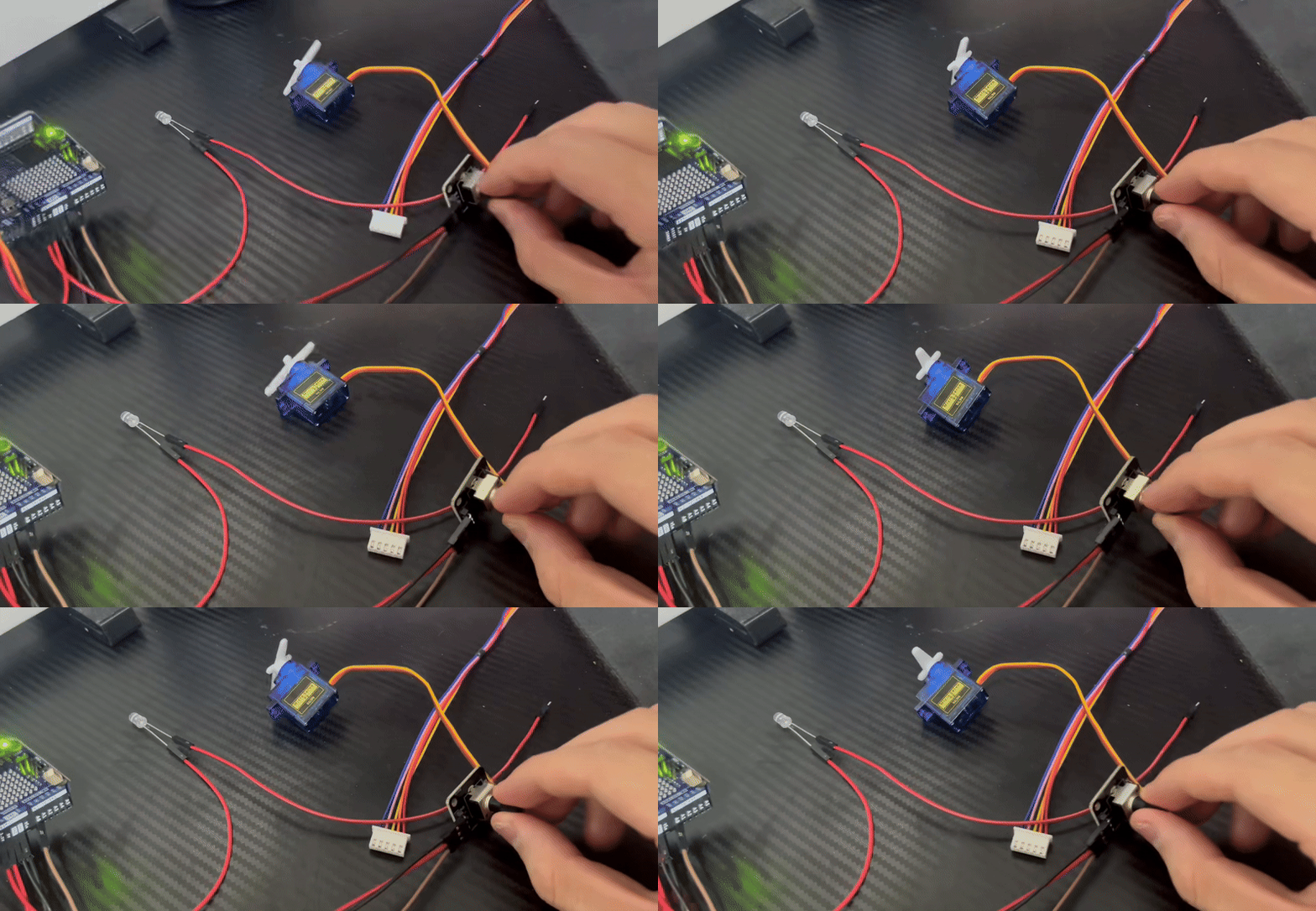
The following code is my program for controlling the rotation of the servo motor using a potentiometer.
#include <Servo.h>

#define PIN_SERVO 10

Servo myservo;

void setup()
{ Serial.begin(115200);
  myservo.attach(PIN_SERVO);
}

void loop()
{
  int sensorValue = analogRead(A0);         // Read the analog value of the potentiometer from A0 (ranging from 0 to 1023)
  int angle = map(sensorValue, 0, 1023, 0, 180);
  myservo.write(angle);

  Serial.print("原始值: ");
  Serial.print(sensorValue);
  Serial.print(" -> 映射角度: ");
  Serial.println(angle);
  delay(200);
}