Week 4 - CAD Computer-aided design
Fusion 360
Cloud based CAD tool for collab product development. Fusion 360 allow user to create detailed 3D models and test through simulations. Projects are also to be processed through 3D printing, all data is saved in cloud which enables team based project but also requires internet or ethernet to proceed.
Key features
Sketching: Create 2D sketch with line, circle, arc etc to create precise designs.
3D Modeling:
- Parameters and extrusions to develop 3D model
- Revolve to create complex shape
Assemble: Combine components together, define joint and simulate movements
Simulation and Analysis:
CAM (Computer Aided Manufacture)
Rendering: Create photo images of design for presentation
Cloud Storage: Allow projects to be shared online and real time collab
Add in and Extension: Extend function for plugins.
Here are some examples of the features displayed in Fusion 360
This is where all designs are located you can render play animation or create engineer drawings under here. 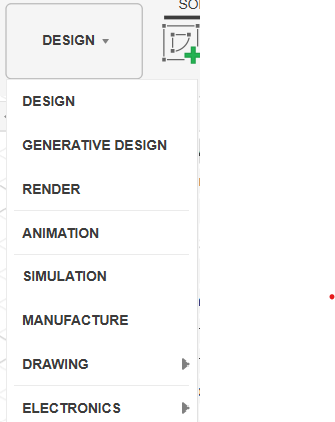
This is where you create all objects from components, sketches to object such as square and spheres. Use functions such as extrude or revolve to change. 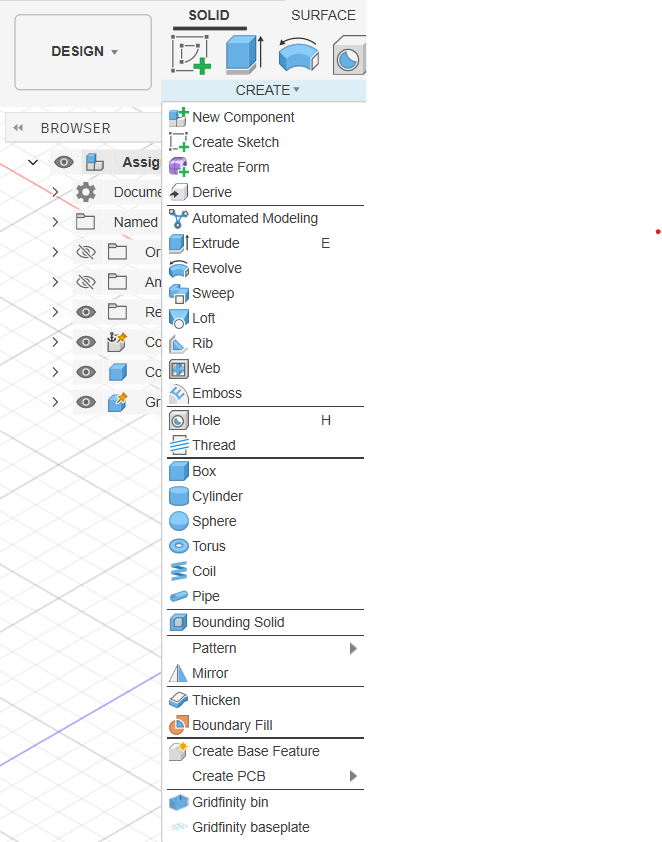
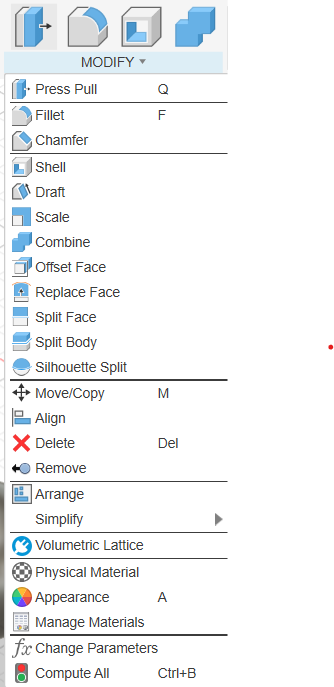
Next in is the modify function, this is where you to changes to your design either how it looks or what material it would be using when made. In addition the parameter function is also located under here where you can state values and use them in design.
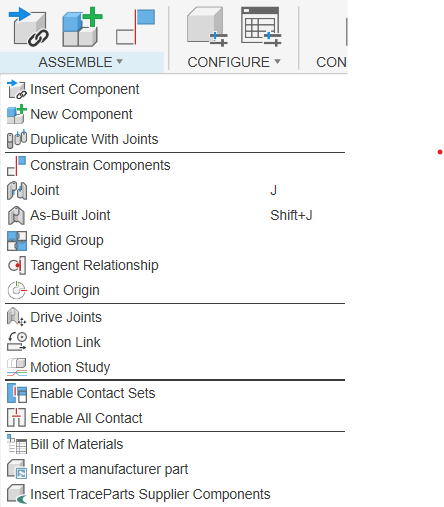
When your done creating couple components and want them to interact with each other we would be using tools under assemble. Either adding new components, constraint or join them。
In fusion 360 all modification will be shown in a history on the bottom of the screen. This can be played to show how the creation process of your design has been done and made into animation.
